How to sell secondhand items fast on Near Dee
Fast-selling listings are not lucky; they simply remove the questions a buyer would otherwise need to ask. Follow this sequence for the next item you list.
1. Photos decide whether anyone clicks at all
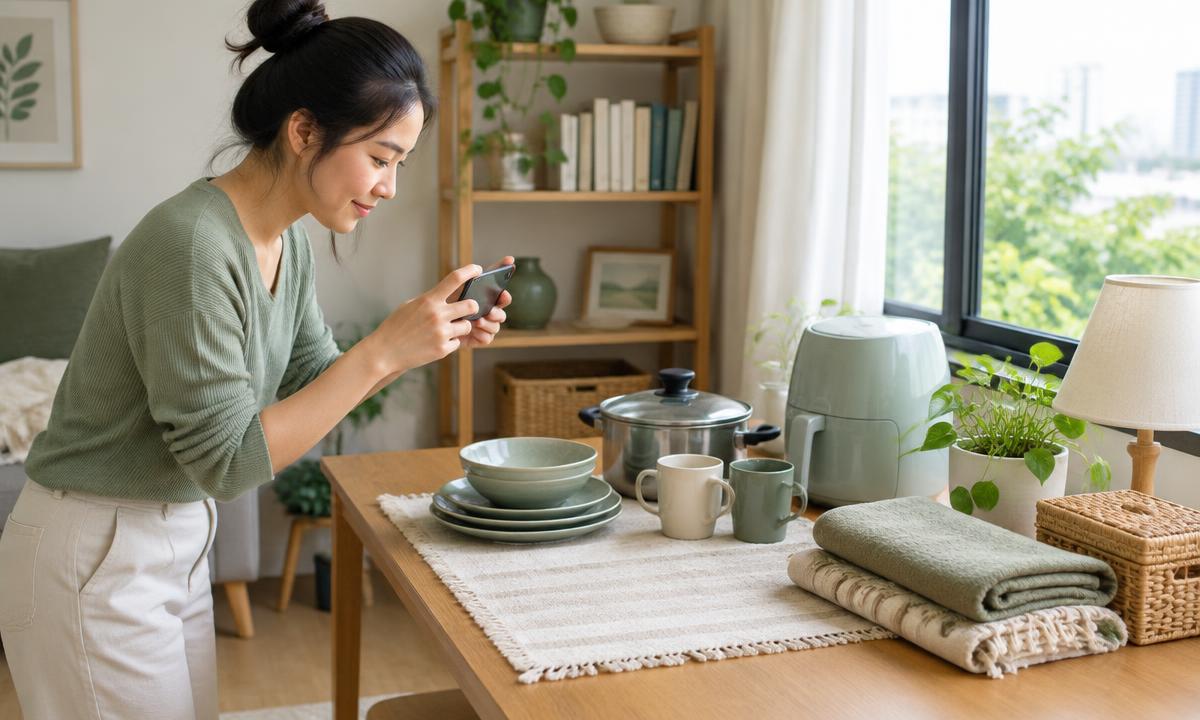
Shoot in natural daylight near a window and skip the flash, which distorts colour. Use a plain, uncluttered background — a wooden floor, a solid-colour tablecloth, a white wall. The cover photo should be the clearest full view of the item.
Take at least 5-8 photos covering front, back, sides, a close-up of any label or model number, and every visible flaw. Showing defects clearly does not hurt sales — it builds trust and speeds up the buyer's decision to meet.
2. Write a title people can actually search for
Include the brand, model, and a short condition note, such as "iPhone 13 128GB Blue, battery 89%, 2 months warranty left" instead of a vague "phone in good condition". Specific keywords put your listing in front of people who are already looking for that exact item.
3. Write a description that answers questions in advance
State how long you used it, why you are selling, what accessories are included (box, cable, receipt), and any remaining warranty. The more complete the description, the fewer repeat questions you get in chat, and the faster people commit to a viewing.
4. Disclose defects honestly from the start
Scratches, dents, stains, or any function that no longer works perfectly should be named in the text and shown clearly in a photo. Hiding a flaw for the buyer to discover in person usually ends in a heavy last-minute discount or a cancelled deal — both cost more time than disclosing it upfront.
5. Price it within the range that actually sells
Before setting a price, search 5-10 similar listings for the same item and condition in the app and land in the middle of that range. If speed matters more than maximum price, price near the lower end and leave a small margin, around 5-10%, for negotiation.
6. Reply fast and apply the same standard to everyone
Most buyers message several sellers at once and close with whoever responds fastest. Answer condition, final price, and available meeting times in a single clear message. Leaving a chat unanswered for hours usually means losing that buyer to someone else's listing.
7. Close the deal properly
Confirm the final price, meeting point, and time in chat before you leave home. Once the item is sold, close the listing right away so other buyers stop messaging, and leave the buyer a review — it builds your own account's history for future deals.
8. If nobody is interested, run through this checklist
- Is the cover photo bright and clear? A dark or cluttered photo is the number one reason people don't click.
- Does the title include the brand and model people actually search for?
- Is the price noticeably higher than other listings of the same item? Search again and compare.
- Does the description answer the basics: age, defects, included accessories?
- Did you post at a high-traffic time? Evenings after work and weekends usually get more views.
9. Meet and get paid safely
Pick a busy meeting spot — in front of a BTS/MRT station, a shopping mall, or a petrol station — and meet during daylight when possible. For items worth more than 10,000 baht, bring a friend or family member along.
For cash, count it together in person. For transfers, always check your own banking app before handing over the item — never trust a transfer slip image the buyer sends, because those are easy to fake. See our safety guide for full details.
10. Frequently asked questions from sellers
- Should I post the same item several times? — Post once first; if there are no messages after 7-10 days, adjust the price or photos. Duplicate listings of the same item look suspicious.
- Can I ship to another province? — Yes, but collect payment before shipping and always use a carrier with a tracking number.
- A buyer asks for my account number or OTP — should I give it? — Never. A normal sale never requires an OTP from the seller.
- Can I change my mind after listing? — Yes. Just close the listing and politely inform anyone who already messaged you.
Continue with related areas and categories
Read in another language
Related guides
- Safe secondhand trading in Thailand: scams, meeting places, checks, payment and what to do if it goes wrong
- How to price secondhand items sensibly in Thailand
- How to photograph your listings with just a phone
- Chat and negotiation etiquette in Thai secondhand trading
- Buying a used smartphone in Thailand without getting burned